Backup
The Backup is very instrumental to keep copies of the database after any work on this system. This utility is delivered to the end-user without any special skills in database administration.
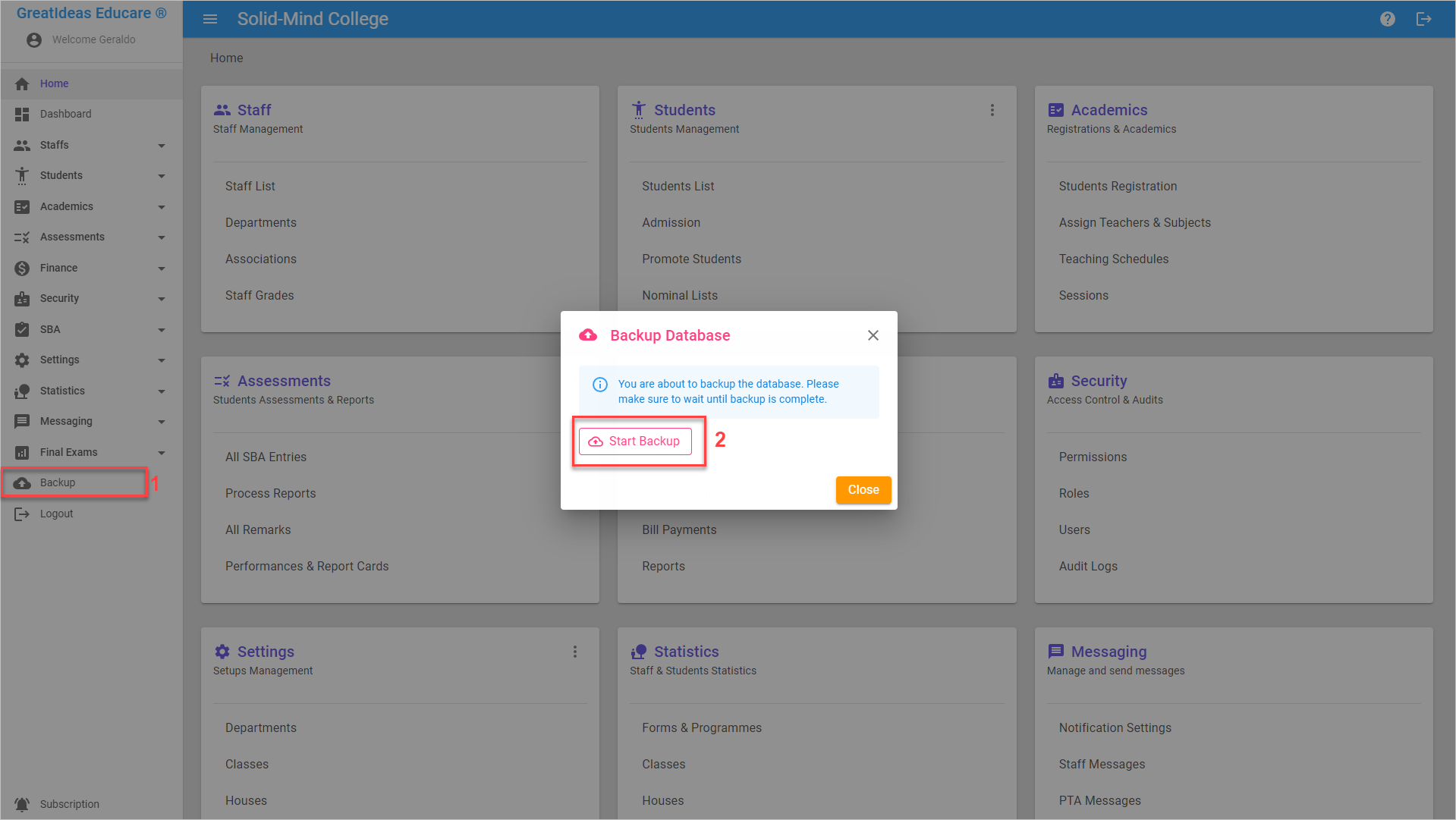
To backup the database, click on the Backup icon on the Sidebar
From the dialog box, click on Start Backup. Do not interrupt nor navigate away when backup begins, else the operation will terminate.
Info
When the application runs online, the backup file will be sent to the schools' email address.
For offline application, the backup lives in theGreatIdeasEducare directory on Drive C. Within this directory also contains log files for troubleshooting should there be any issues. The System Administrator is responsible to securing the backup file should the system breakdown.